# Advanced Azure DevOps Pipeline with ASH Security Scanningname: Advanced-Security-Pipeline-$(Date:yyyyMMdd)-$(Rev:r)trigger: nonepr:branches:include:- main- develop- release/*- feature/*resources:repositories:- repository: security-templatestype: gitname: shared-pipelines/security-templatesref: refs/heads/mainextends:template: security-pipeline-template.yml@security-templatesparameters:enableAdvancedScanning: truesecurityGates:critical: 0high: 3medium: 10variables:- group: SecurityScanConfig- name: BRANCH_NAMEvalue: $[replace(variables['Build.SourceBranchName'], '/', '-')]stages:- stage: PreScandisplayName: 'Pre-Scan Validation'jobs:- job: ValidateEnvironmentsteps:- script: |echo "Validating scan environment..."# Check for sensitive files that shouldn't be scannedfind . -name "*.pem" -o -name "*.key" -o -name "secrets.json" | head -10displayName: 'Environment Validation'- stage: SecurityScandisplayName: 'Comprehensive Security Scan'dependsOn: PreScanjobs:- job: ASHScandisplayName: 'ASH Multi-Tool Security Analysis'timeoutInMinutes: 45steps:- checkout: selffetchDepth: 0 # Full history for better analysis- task: Cache@2displayName: 'Cache ASH Docker Images'inputs:key: 'ash-docker-cache-v1'path: '/tmp/ash-cache'- task: Bash@3displayName: 'Advanced ASH Scan with Custom Rules'inputs:targetType: 'inline'script: |set -e# Enhanced ASH configurationexport ASH_OCI_RUNNER=dockerexport ASH_IMAGE_NAME=automated-security-helper:$(ASH_VERSION)# Clone ASH with cachingif [ ! -d "/tmp/ash" ]; thengit clone --depth 1 --branch $(ASH_VERSION) \https://github.com/awslabs/automated-security-helper.git /tmp/ashficd /tmp/ash# Custom security rules for organizationmkdir -p custom-rulescat > custom-rules/.securityignore << 'EOF'# Ignore test files**/test/****/tests/****/*test*# Ignore documentation**/docs/****/*.mdEOF# Run comprehensive scan./ash \--source-dir "$(Build.SourcesDirectory)" \--output-dir "$(Agent.TempDirectory)/ash-results" \--format json \--preserve-report \--force \--offline-semgrep-rulesets "p/security-audit,p/ci,p/secrets" \--debugecho "Advanced ASH scan completed"- task: PowerShell@2displayName: 'Generate Security Dashboard'inputs:targetType: 'inline'script: |$resultsPath = "$(Agent.TempDirectory)/ash-results"$resultsFile = "$resultsPath/aggregated_results.json"if (Test-Path $resultsFile) {$results = Get-Content $resultsFile | ConvertFrom-Json# Generate HTML report$htmlReport = @"<!DOCTYPE html><html><head><title>Security Scan Report - $(Build.BuildNumber)</title><style>body { font-family: Arial, sans-serif; margin: 20px; }.header { background: #2196F3; color: white; padding: 20px; }.critical { color: #f44336; font-weight: bold; }.high { color: #ff9800; font-weight: bold; }.medium { color: #ffeb3b; color: black; }.low { color: #4caf50; }table { width: 100%; border-collapse: collapse; margin: 20px 0; }th, td { border: 1px solid #ddd; padding: 12px; text-align: left; }th { background-color: #f2f2f2; }</style></head><body><div class="header"><h1>Security Scan Report</h1><p>Build: $(Build.BuildNumber) | Branch: $(Build.SourceBranchName) | Date: $(Get-Date)</p></div><h2>Vulnerability Summary</h2><!-- Report content would be generated here --></body></html>"@$htmlReport | Out-File "$resultsPath/security-report.html"Write-Host "Security dashboard generated"}- stage: SecurityGatesdisplayName: 'Security Quality Gates'dependsOn: SecurityScancondition: always()jobs:- job: EvaluateSecurityGatesdisplayName: 'Evaluate Security Policy Compliance'steps:- download: currentartifact: SecurityReports- task: Bash@3displayName: 'Security Policy Evaluation'inputs:targetType: 'inline'script: |# Implement security policy evaluation logic# This could integrate with external policy enginesecho "Evaluating security policies..."# Example: Check against organizational security standardsPOLICY_VIOLATIONS=0# Policy: No critical vulnerabilities in production branchesif [ "$(Build.SourceBranch)" == "refs/heads/main" ]; thenif [ "$(CriticalCount)" -gt 0 ]; thenecho "POLICY VIOLATION: Critical vulnerabilities in main branch"POLICY_VIOLATIONS=$((POLICY_VIOLATIONS + 1))fifiif [ $POLICY_VIOLATIONS -gt 0 ]; thenecho "##vso[task.complete result=Failed;]Security policy violations detected"elseecho "All security policies satisfied"fi- stage: ReportingdisplayName: 'Security Reporting & Notifications'dependsOn: SecurityGatescondition: always()jobs:- job: SecurityReportingsteps:- task: PublishHtmlReport@1displayName: 'Publish Security Dashboard'inputs:reportDir: '$(Agent.TempDirectory)/ash-results'tabName: 'Security Analysis'

Integrating AWS Automated Security Helper with Azure DevOps Pipelines for Pull Request Security Scanning
Stewart Moreland
What You'll Learn
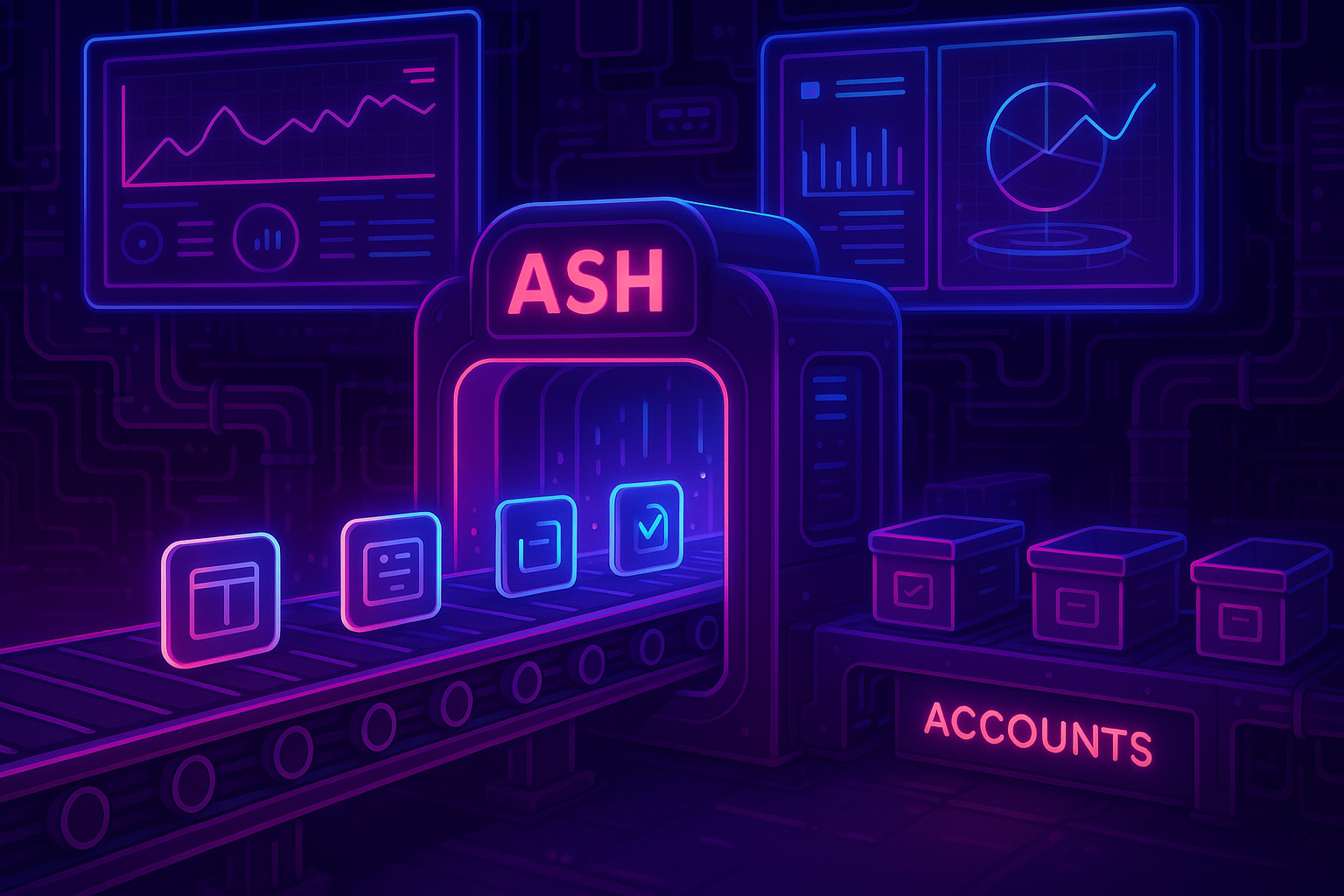
This guide demonstrates how to integrate AWS Automated Security Helper (ASH) into Azure DevOps pipelines to perform comprehensive security scanning on pull requests, enabling shift-left security practices in your development workflow.
Security vulnerabilities discovered late in the development cycle are expensive and disruptive to fix. By integrating security scanning directly into your pull request workflow, you can catch issues early when they're easiest and cheapest to resolve. AWS Automated Security Helper (ASH) provides a comprehensive suite of open-source security scanning tools that can be seamlessly integrated into Azure DevOps pipelines.
What is AWS Automated Security Helper (ASH)?
AWS Automated Security Helper is an extensible, open-source security scanning orchestration engine that combines multiple industry-standard tools to provide comprehensive coverage across your entire codebase. Rather than managing individual security tools separately, ASH provides a unified interface that runs multiple scanners in parallel and aggregates results into a single report.
Comprehensive Security Coverage
ASH integrates multiple specialized security tools to provide comprehensive coverage:
Code Security Tools:
- git-secrets: Detects API keys, passwords, and AWS credentials
- Bandit: Python security issue detection
- Semgrep: Multi-language static analysis (Python, JavaScript, Go, C#, Java, Bash)
- ESLint: JavaScript security linting
Vulnerability & Dependency Management:
- Grype: Vulnerability scanner for multiple languages
- Syft: Software Bill of Materials (SBOM) generation
- npm-audit: JavaScript dependency vulnerability scanning
Infrastructure Security:
- Checkov: Terraform and CloudFormation security scanning
- cfn-nag: CloudFormation template security analysis
- cdk-nag: AWS CDK security validation
Why Azure DevOps + ASH Integration Matters
The Challenge: Security Debt and Late-Stage Discoveries
Traditional security scanning often happens after code deployment, leading to:
The Solution: Shift-Left Security with ASH
By integrating ASH into Azure DevOps pull request workflows, you can:
- Catch vulnerabilities early in the development cycle
- Automate security reviews without slowing down development
- Provide immediate feedback to developers
- Enforce security standards before code reaches production
- Generate compliance reports automatically
Architecture Overview
Architecture Benefits
This architecture provides automated security scanning with minimal impact on developer productivity while maintaining comprehensive coverage across all code types.
The integration follows a container-first approach that ensures consistency across environments:
Key Components:
- Azure DevOps Pipeline: Orchestrates the security scanning workflow
- ASH Container: Provides consistent scanning environment
- Security Gates: Automated decision points based on scan results
- Feedback Loop: Immediate results delivered to pull request
Prerequisites and Setup
Azure DevOps Requirements
# Required Azure DevOps permissionsProject Permissions:- Build: Edit build pipelines- Code: Contribute to pull requests- Pipeline: Use build pipelineRepository Permissions:- Read: Source code access- Contribute: Create/update pipelines- Pull Request Review: Comment on PRs
Agent Pool Configuration
Ensure your Azure DevOps agents have the necessary capabilities:
# Install Docker on Ubuntu agentsudo apt-get updatesudo apt-get install -y docker.iosudo systemctl start dockersudo systemctl enable docker# Add the pipeline user to docker groupsudo usermod -aG docker $USER# Verify Docker installationdocker --version
ASH requires the ability to run Linux containers. Ensure your Azure DevOps agents have Docker or another OCI-compatible container runtime installed and properly configured.
Pipeline Implementation
Basic Pipeline Configuration
Create a new pipeline file (azure-pipelines-security.yml) in your repository:
# Azure DevOps Pipeline for ASH Security Scanningname: Security-Scan-$(Date:yyyyMMdd)-$(Rev:r)trigger: none # Only run on PRpr:branches:include:- main- develop- feature/*paths:exclude:- docs/*- README.mdpool:vmImage: 'ubuntu-latest'variables:- name: ASH_VERSIONvalue: 'v2.0.1' # Use latest stable version- name: ASH_OUTPUT_DIRvalue: '$(Agent.TempDirectory)/ash-results'- name: ASH_SOURCE_DIRvalue: '$(Build.SourcesDirectory)'stages:- stage: SecurityScandisplayName: 'Security Vulnerability Scan'jobs:- job: ASHScandisplayName: 'Run ASH Security Analysis'timeoutInMinutes: 30steps:- checkout: selffetchDepth: 1clean: true- task: Bash@3displayName: 'Setup ASH Environment'inputs:targetType: 'inline'script: |set -eecho "Setting up ASH environment..."# Create output directorymkdir -p $(ASH_OUTPUT_DIR)# Set permissions for Docker accesssudo chmod 666 /var/run/docker.sock# Verify Docker is availabledocker --versionecho "Environment setup complete"- task: Bash@3displayName: 'Clone and Setup ASH'inputs:targetType: 'inline'script: |set -eecho "Cloning ASH repository..."# Clone ASH repositorygit clone https://github.com/awslabs/automated-security-helper.git /tmp/ashcd /tmp/ash# Checkout specific version for stabilitygit checkout $(ASH_VERSION)# Make ASH executablechmod +x ./ashecho "ASH setup complete"- task: Bash@3displayName: 'Run ASH Security Scan'inputs:targetType: 'inline'script: |set -ecd /tmp/ashecho "Starting ASH security scan..."echo "Scanning directory: $(ASH_SOURCE_DIR)"echo "Output directory: $(ASH_OUTPUT_DIR)"# Run ASH with comprehensive scanning./ash \--source-dir "$(ASH_SOURCE_DIR)" \--output-dir "$(ASH_OUTPUT_DIR)" \--format json \--preserve-report \--no-cleanup \--forceecho "ASH scan completed"- task: Bash@3displayName: 'Process ASH Results'condition: always() # Run even if previous step failsinputs:targetType: 'inline'script: |set -eecho "Processing ASH scan results..."# Check if results file existsRESULTS_FILE="$(ASH_OUTPUT_DIR)/aggregated_results.json"if [ -f "$RESULTS_FILE" ]; thenecho "Results file found: $RESULTS_FILE"# Count vulnerabilities by severityCRITICAL_COUNT=$(jq '[.vulnerabilities[]? | select(.severity == "CRITICAL")] | length' "$RESULTS_FILE" || echo "0")HIGH_COUNT=$(jq '[.vulnerabilities[]? | select(.severity == "HIGH")] | length' "$RESULTS_FILE" || echo "0")MEDIUM_COUNT=$(jq '[.vulnerabilities[]? | select(.severity == "MEDIUM")] | length' "$RESULTS_FILE" || echo "0")LOW_COUNT=$(jq '[.vulnerabilities[]? | select(.severity == "LOW")] | length' "$RESULTS_FILE" || echo "0")echo "Critical vulnerabilities: $CRITICAL_COUNT"echo "High vulnerabilities: $HIGH_COUNT"echo "Medium vulnerabilities: $MEDIUM_COUNT"echo "Low vulnerabilities: $LOW_COUNT"# Set pipeline variables for later useecho "##vso[task.setvariable variable=CriticalCount;isOutput=true]$CRITICAL_COUNT"echo "##vso[task.setvariable variable=HighCount;isOutput=true]$HIGH_COUNT"echo "##vso[task.setvariable variable=MediumCount;isOutput=true]$MEDIUM_COUNT"echo "##vso[task.setvariable variable=LowCount;isOutput=true]$LOW_COUNT"# Fail pipeline if critical vulnerabilities foundif [ "$CRITICAL_COUNT" -gt 0 ]; thenecho "##vso[task.logissue type=error]Critical vulnerabilities found! Failing the build."echo "##vso[task.complete result=Failed;]Critical security vulnerabilities detected"elif [ "$HIGH_COUNT" -gt 5 ]; thenecho "##vso[task.logissue type=warning]High number of high-severity vulnerabilities found"echo "##vso[task.complete result=SucceededWithIssues;]Multiple high-severity vulnerabilities detected"elseecho "Security scan passed with acceptable risk level"fielseecho "##vso[task.logissue type=warning]No results file found"fi- task: PublishBuildArtifacts@1displayName: 'Publish Security Reports'condition: always()inputs:PathtoPublish: '$(ASH_OUTPUT_DIR)'ArtifactName: 'SecurityReports'publishLocation: 'Container'- task: PublishTestResults@2displayName: 'Publish Security Test Results'condition: always()inputs:testResultsFormat: 'JUnit'testResultsFiles: '$(ASH_OUTPUT_DIR)/**/*.xml'failTaskOnFailedTests: falsetestRunTitle: 'ASH Security Scan Results'
Advanced Pipeline with Security Gates
For production environments, implement additional security gates and reporting:
Pull Request Integration
Configure the pipeline to provide immediate feedback on pull requests:
# PR Comment Task- task: GitHubComment@0displayName: 'Post Security Results to PR'condition: always()inputs:gitHubConnection: 'GitHub-Connection'repositoryName: '$(Build.Repository.Name)'comment: |## 🔒 Security Scan Results**Build:** $(Build.BuildNumber)**Branch:** $(Build.SourceBranchName)**Status:** $(Agent.JobStatus)### Vulnerability Summary- 🔴 Critical: $(CriticalCount)- 🟠High: $(HighCount)- 🟡 Medium: $(MediumCount)- 🟢 Low: $(LowCount)### Security Tools Used- ✅ Static Code Analysis (Semgrep, Bandit, ESLint)- ✅ Dependency Scanning (Grype, npm-audit)- ✅ Infrastructure Security (Checkov, cfn-nag)- ✅ Secret Detection (git-secrets)📋 [View Detailed Report]($(System.TeamFoundationCollectionUri)$(System.TeamProject)/_build/results?buildId=$(Build.BuildId)&view=artifacts)
Best Practices and Optimization
Performance Optimization
# Cache ASH containers and vulnerability databases- task: Cache@2displayName: 'Cache ASH Components'inputs:key: 'ash-v2 | "$(Agent.OS)" | $(ASH_VERSION)'restoreKeys: |ash-v2 | "$(Agent.OS)"ash-v2path: |/tmp/ash-cache~/.cache/ash
Security Configuration
Environment Variables and Secrets Management:
variables:- group: ASH-Security-Config # Secure variable group- name: ASH_CONFIG_FILEvalue: '$(Pipeline.Workspace)/ash-config.json'# Secure configuration file- task: DownloadSecureFile@1name: ashConfigdisplayName: 'Download ASH Configuration'inputs:secureFile: 'ash-security-config.json'- script: |cp $(ashConfig.secureFilePath) $(ASH_CONFIG_FILE)chmod 600 $(ASH_CONFIG_FILE)displayName: 'Setup Secure Configuration'
Error Handling and Retry Logic
# Robust error handling- task: Bash@3displayName: 'ASH Scan with Retry Logic'retryCountOnTaskFailure: 3inputs:targetType: 'inline'script: |set -eMAX_RETRIES=3RETRY_DELAY=30for i in $(seq 1 $MAX_RETRIES); doecho "Attempt $i of $MAX_RETRIES"if /tmp/ash/ash --source-dir "$(Build.SourcesDirectory)" --output-dir "$(ASH_OUTPUT_DIR)"; thenecho "ASH scan completed successfully"breakelseif [ $i -eq $MAX_RETRIES ]; thenecho "ASH scan failed after $MAX_RETRIES attempts"exit 1elseecho "ASH scan failed, retrying in $RETRY_DELAY seconds..."sleep $RETRY_DELAYfifidone
Integration with Security Tools and Workflows
SARIF Integration for Advanced Reporting
ASH can generate SARIF (Static Analysis Results Interchange Format) output for better integration with security tools:
# Generate SARIF output for Security tab integration- script: |# Convert ASH JSON output to SARIF formatpython3 << 'EOF'import jsonimport sysfrom datetime import datetimedef convert_to_sarif(ash_results_file, sarif_output_file):with open(ash_results_file, 'r') as f:ash_data = json.load(f)sarif_template = {"version": "2.1.0","$schema": "https://json.schemastore.org/sarif-2.1.0.json","runs": [{"tool": {"driver": {"name": "AWS Automated Security Helper","version": "2.0.1","informationUri": "https://github.com/awslabs/automated-security-helper"}},"results": []}]}# Convert ASH findings to SARIF formatfor vulnerability in ash_data.get('vulnerabilities', []):sarif_result = {"ruleId": vulnerability.get('id', 'unknown'),"level": map_severity(vulnerability.get('severity', 'info')),"message": {"text": vulnerability.get('description', '')},"locations": [{"physicalLocation": {"artifactLocation": {"uri": vulnerability.get('file', '')},"region": {"startLine": vulnerability.get('line', 1)}}}]}sarif_template["runs"][0]["results"].append(sarif_result)with open(sarif_output_file, 'w') as f:json.dump(sarif_template, f, indent=2)def map_severity(ash_severity):mapping = {'CRITICAL': 'error','HIGH': 'error','MEDIUM': 'warning','LOW': 'note'}return mapping.get(ash_severity.upper(), 'note')convert_to_sarif('$(ASH_OUTPUT_DIR)/aggregated_results.json', '$(ASH_OUTPUT_DIR)/results.sarif')EOFdisplayName: 'Convert to SARIF Format'# Publish SARIF results for Security tab- task: PublishBuildArtifacts@1displayName: 'Publish SARIF Results'inputs:PathtoPublish: '$(ASH_OUTPUT_DIR)/results.sarif'ArtifactName: 'CodeAnalysisLogs'
Integration with External Security Platforms
Webhook Integration for Security Orchestration:
# Send results to external security platforms- task: Bash@3displayName: 'Send Results to Security Platform'condition: always()inputs:targetType: 'inline'script: |# Send to DefectDojo, OWASP Dependency-Track, etc.curl -X POST "$(SECURITY_PLATFORM_URL)/api/v2/import-scan/" \-H "Authorization: Token $(SECURITY_PLATFORM_TOKEN)" \-F "scan_type=ASH Security Scan" \-F "file=@$(ASH_OUTPUT_DIR)/aggregated_results.json" \-F "engagement=$(ENGAGEMENT_ID)" \-F "verified=true"
Troubleshooting Common Issues
Container Runtime Issues
If you encounter Docker permission errors, ensure the pipeline agent user is added to the docker group and that the Docker socket has appropriate permissions.
Common Docker Issues and Solutions:
# Issue: Permission denied accessing Docker socket# Solution: Fix Docker socket permissionssudo chmod 666 /var/run/docker.sock# Issue: ASH container build fails# Solution: Clear Docker cache and rebuilddocker system prune -fdocker build --no-cache -t ash:latest .# Issue: Container out of memory# Solution: Increase container memory limits./ash --build-target ci # Use CI-optimized build target
Performance Issues
Large Repository Optimization:
# Optimize for large repositoriesvariables:- name: ASH_SCAN_TIMEOUTvalue: '3600' # 1 hour timeout- name: ASH_PARALLEL_JOBSvalue: '4' # Parallel scanning jobs# Selective scanning for large repos- script: |# Only scan modified files in PRsif [ "$BUILD_REASON" == "PullRequest" ]; thengit diff --name-only HEAD~1 HEAD > changed-files.txtASH_SOURCE_DIR=$(mktemp -d)while IFS= read -r file; domkdir -p "$ASH_SOURCE_DIR/$(dirname "$file")"cp "$file" "$ASH_SOURCE_DIR/$file" 2>/dev/null || truedone < changed-files.txtecho "##vso[task.setvariable variable=ASH_SOURCE_DIR]$ASH_SOURCE_DIR"fidisplayName: 'Optimize Scan Scope for PRs'
Measuring Success and ROI
Key Metrics to Track
Track improvement in security posture
Security KPIs to Monitor:
-
Vulnerability Trend Analysis
- Critical vulnerabilities per release
- Time to vulnerability remediation
- Security debt accumulation rate
-
Process Efficiency Metrics
- Scan execution time trends
- False positive rates
- Developer adoption rates
-
Business Impact Metrics
- Reduced security incidents
- Faster security review cycles
- Compliance audit success rates
Generating Executive Reports
# Generate executive security dashboard- task: PowerShell@2displayName: 'Generate Executive Security Report'inputs:targetType: 'inline'script: |# Create executive summary report$reportData = @{BuildNumber = "$(Build.BuildNumber)"Repository = "$(Build.Repository.Name)"Branch = "$(Build.SourceBranchName)"ScanDate = Get-DateSecurityPosture = @{Critical = $(CriticalCount)High = $(HighCount)Medium = $(MediumCount)Low = $(LowCount)}ComplianceStatus = if ($(CriticalCount) -eq 0) { "COMPLIANT" } else { "NON_COMPLIANT" }RiskLevel = switch ($(CriticalCount)) {0 { if ($(HighCount) -gt 5) { "MEDIUM" } else { "LOW" } }default { "HIGH" }}}$reportData | ConvertTo-Json -Depth 3 | Out-File "$(ASH_OUTPUT_DIR)/executive-report.json"# Send to metrics collection systemInvoke-RestMethod -Uri "$(METRICS_ENDPOINT)" -Method POST -Body ($reportData | ConvertTo-Json) -ContentType "application/json"
Conclusion and Next Steps
Integrating AWS Automated Security Helper with Azure DevOps pipelines provides a comprehensive, automated approach to shift-left security that catches vulnerabilities early in the development cycle. By implementing the patterns and practices outlined in this guide, you can:
✅ Reduce Security Debt: Catch vulnerabilities before they reach production
✅ Improve Developer Experience: Provide immediate, actionable security feedback
✅ Enhance Compliance: Automated evidence collection for security audits
✅ Scale Security Practices: Consistent security scanning across all projects
✅ Optimize Development Velocity: Security gates that enhance rather than hinder productivity
Recommended Next Steps
- Start Small: Begin with a pilot project to validate the integration
- Customize Security Policies: Tailor vulnerability thresholds to your organization's risk tolerance
- Integrate with Security Tools: Connect ASH results to your security orchestration platform
- Train Development Teams: Provide training on interpreting and acting on security scan results
- Monitor and Optimize: Continuously improve scan performance and accuracy
Ready to Implement?
Check out the next article in this series: "Advanced ASH Configuration for Enterprise Environments" where we'll cover custom rule development, multi-environment scanning strategies, and enterprise security policy enforcement.
The combination of Azure DevOps and AWS Automated Security Helper provides a powerful foundation for implementing DevSecOps practices that scale with your organization while maintaining the agility that modern development teams require.